
3D Video Player 4.5.4.1
3D Video Player enables you to watch any movie or video in HQ 3D
 Download
Program info
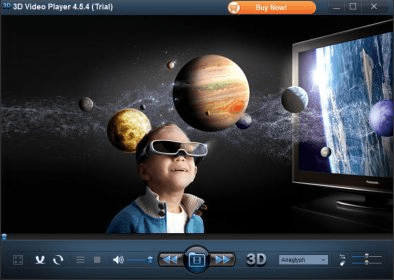


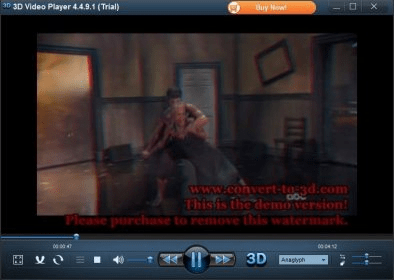


As its name suggests, 3D Video Player is not your typical video player. Its major feature is the fact that it can turn typical two-dimensional videos into 3D ones by applying various types of 3D filters, including anaglyph, anaglyph true, anaglyph gray, side by side as well as top and bottom. In other words, it can make you feel like you're watching a 3D movie, even if in fact you're watching your usual 2D videos, but with 3D filters applied to the playback. It's a unique kind of converter, one that processes the original file and turns it into a 3D video on the fly, as it is played. It won't be the same quality as movies originally recorded in 3D, but it will be a successful 3D simulation that gets very close to those high-quality, original 3D movies.
3D Video Player is also very simple and easy to use. Just load the video file, select the preferred filter, and watch the 3D version of it. The shift and depth can also be configured, but other than these and the typical playback controls, there are no other options and functions. In fact, the fact that 3D Video Player lacks abundance when it comes to advanced settings and additional features is quite a drawback, as even support for basic stuff like playlists or subtitles is not provided.
Anyway, 3D Video Player is not a great player when compared to other similar multimedia playing apps, but it's an attractive tool for anyone interested in 3D video technologies.
Pros
- Allows adjusting shift and depth
- Supports multiple 3D filters
- Supports many video formats
Cons
- Lacks basic features, options, and functions
- Occasionally returns codec-related errors (ffdshow.dll, etc.)
Details
Extensions

No information available
The data will be available later.Awards

Related software

Plays most multimedia files as well as DVDs, Audio CDs, VCDs, etc.

Organize and enjoy the music, movies, and TV shows on your computer.

Enjoy your favorite movies with an all-round player.
Related stories
See all
Looking for simple yet efficient (and free) video editing software? Let us give you Clipchamp.

Adobe releases Firefly Video Model, it's take on the AI-powered video generation system that has a number of advantages over the competition.

Learn how to set up Windows 11 parental controls or try the options (Kurupira, KidLogger, OurPact, Screen Time) to protect minors online.